
The short version
- Program: SOLAREN Alerts, from SOLAREN Digital LLC
- Who: owners and staff of SOLAREN client businesses, only after they opt in
- What: alerts about their own business: new leads, booked appointments, callback requests and urgent calls. No marketing.
- How: an unticked box in the signed-in SOLAREN client dashboard. Optional; without it, alerts go by email.
- Message frequency varies. Message and data rates may apply.
- Reply STOP to opt out at any time. Reply HELP for help.
1. Who gets these texts
SOLAREN Digital LLC (“SOLAREN”) runs the AI front office for local service businesses. When something needs the owner’s attention, such as a new lead, a booked appointment, a caller asking for a call back or an urgent call, SOLAREN tells them. By default these alerts go by email. An owner can choose to get them by text as well. Texts go only to the client business’s own owner and team members who opted in, never to the public, to prospects or to the business’s customers.
2. Where the box is
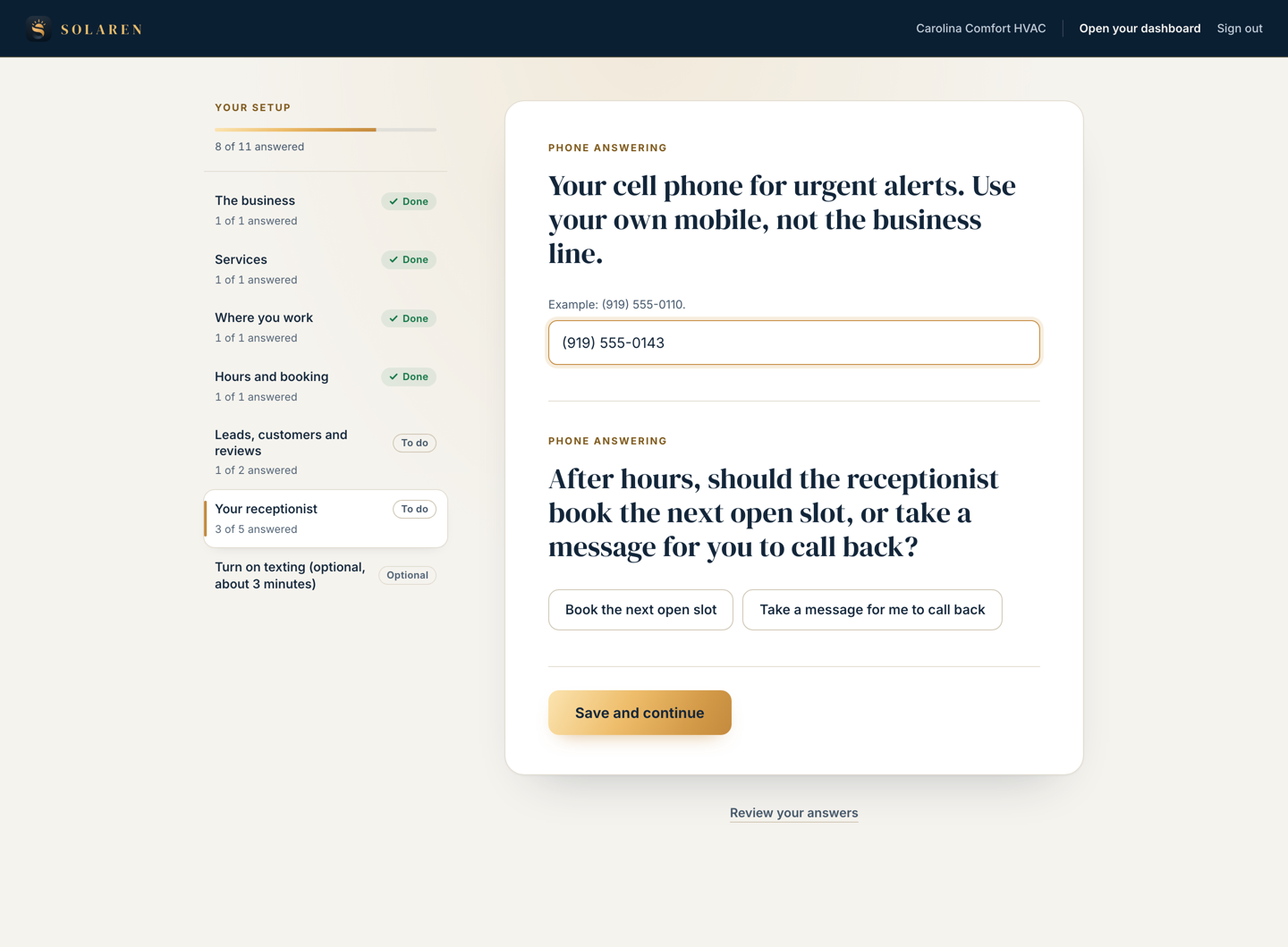
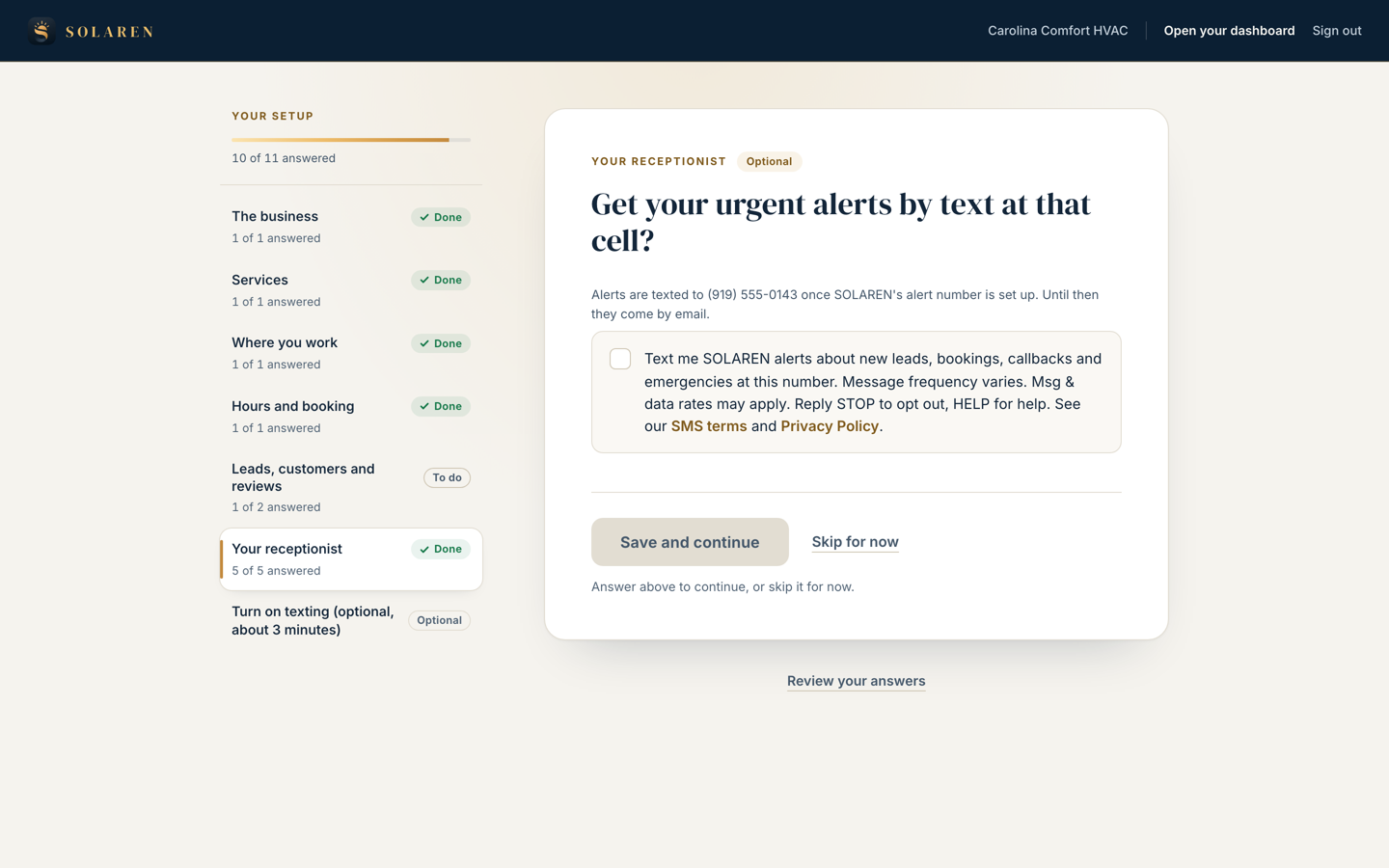
Only a SOLAREN client can see this screen: it is inside the client dashboard at portal.solarendigital.com, after the owner signs in. During setup, the owner is asked for “Your cell phone for urgent alerts”. Right below it is a box labelled Alert texts. It is never pre-ticked, and it reads, word for word:
Text me SOLAREN alerts about new leads, bookings, callbacks and emergencies at this number. Message frequency varies. Msg & data rates may apply. Reply STOP to opt out, HELP for help. See our SMS terms and Privacy Policy.
Ticking the box is optional. It is not a condition of buying any SOLAREN service, and setup goes ahead without it: the owner then gets every alert by email.
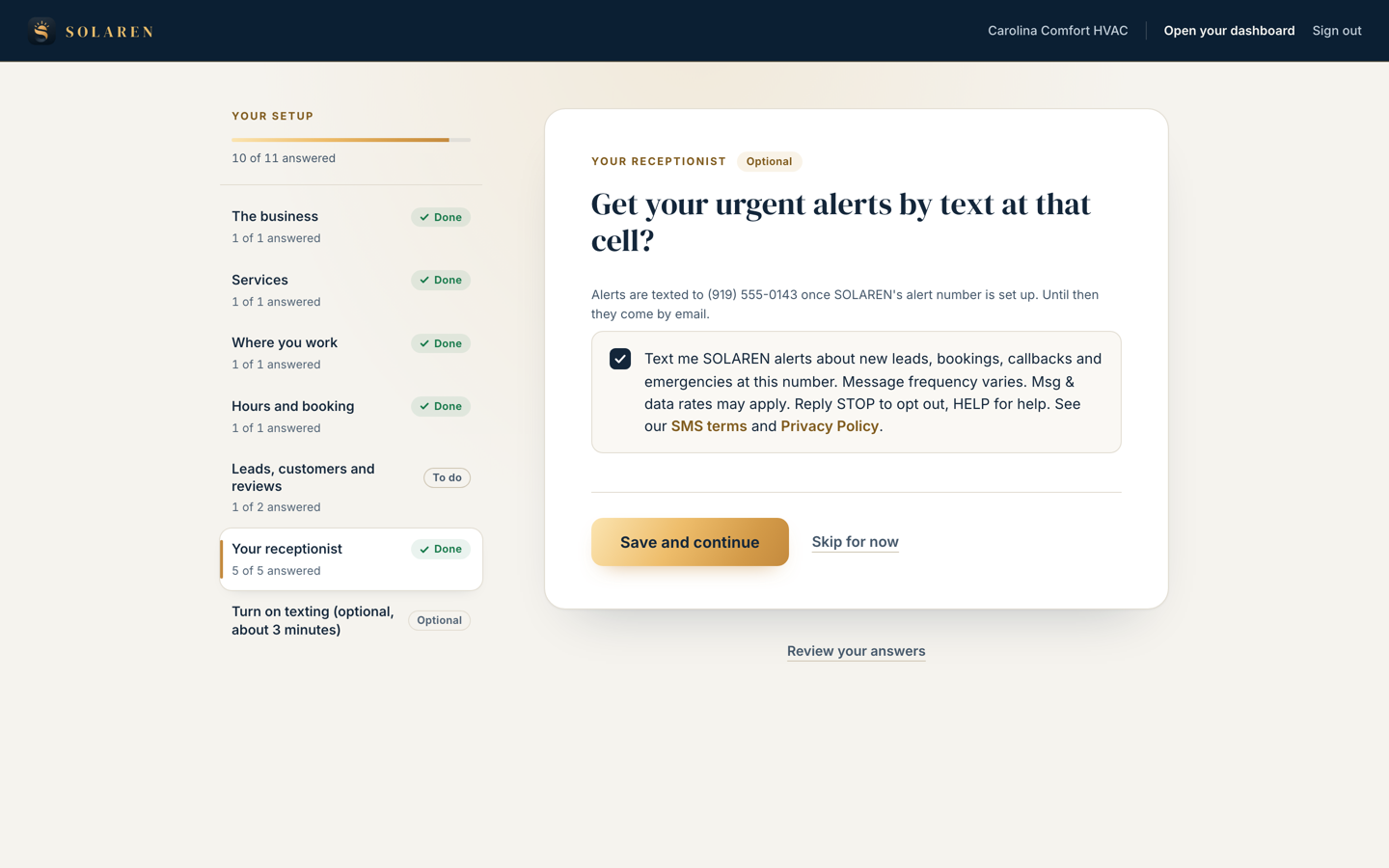
3. What the owner sees after saving
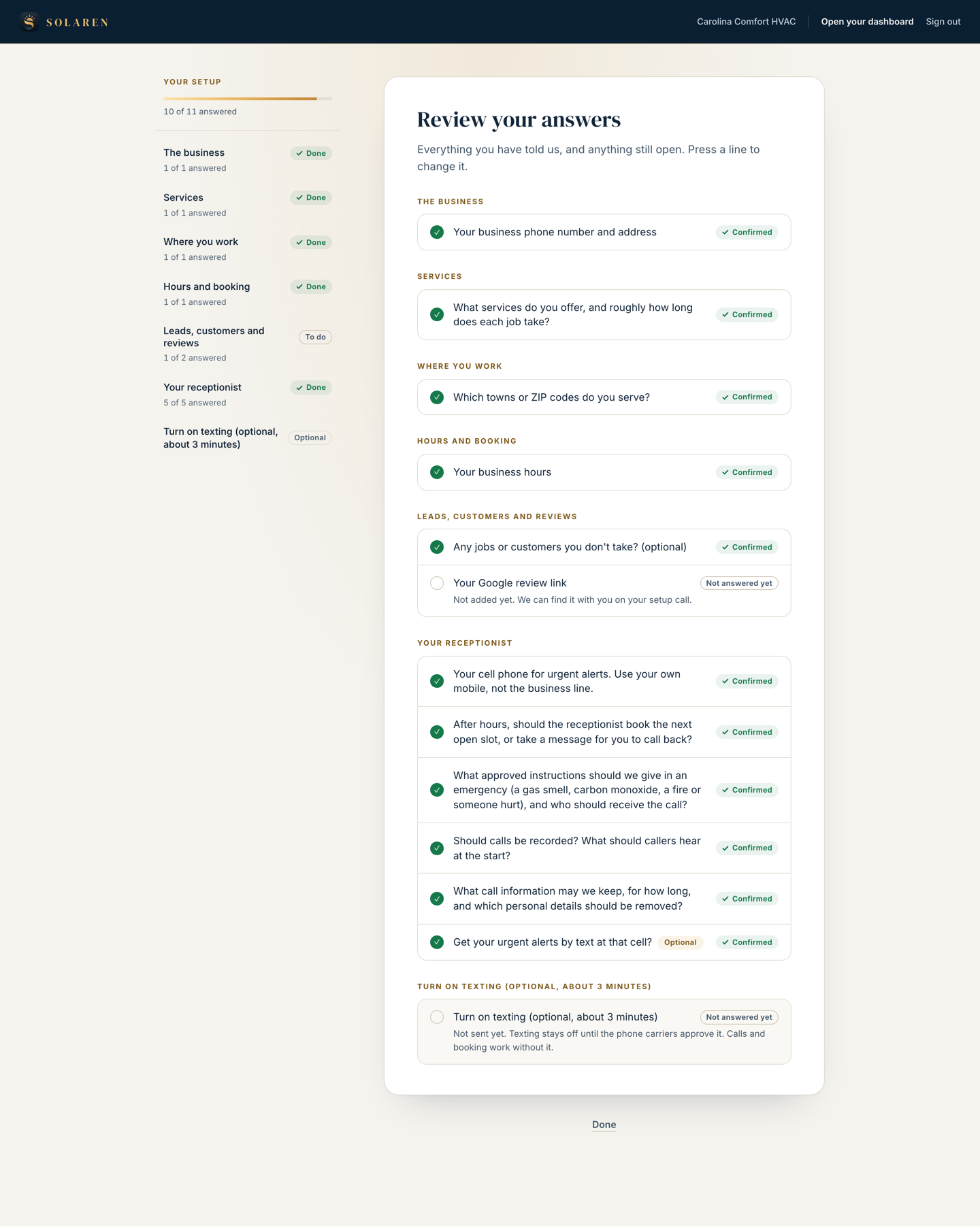
When the owner ticks the box and saves, SOLAREN records the consent for that number, and the setup moves on to the next question. The owner can see it any time under Review your answers, as below. The consent covers that one number only: if the owner later changes their cell, they are asked to tick the box again for the new number.
4. Team members
An owner can add team members who should get alerts, in the dashboard’s team alerts settings. To add someone’s mobile number, the owner must tick a box confirming that the person agreed to get alert texts. A team member can reply STOP at any time, like anyone else.
5. What we record
For every opt-in, SOLAREN keeps who ticked the box, when, the number it was given for, the exact words shown and their version, and the links shown beside it. A phone number on its own is never treated as permission to text.
6. Frequency and rates
Message frequency varies: it depends on how many leads, bookings and calls the business receives. Message and data rates may apply.
7. STOP and HELP
Reply STOP (or UNSUBSCRIBE, CANCEL, END or QUIT) to any SOLAREN alert text to stop them. You get one message confirming it, and your alerts continue by email. Reply START to turn them back on. Reply HELP for help, or contact us:
SOLAREN Digital LLC Email: peter@solarendigital.com Phone: +1 (980) 425-1645Wireless carriers are not liable for delayed or undelivered messages.
8. Privacy and terms
SOLAREN does not sell, rent or share mobile phone numbers, text messaging opt-in data or SMS consent information with third parties or affiliates for their marketing or promotional purposes. Read our Privacy Policy, the Text Messages (SMS Terms) section of our Terms of Service, and our full SMS Consent and Messaging Terms.